deepseek接入微信实现自动回复消息,可以任意更改人设,几乎没有封号风险,让你秒变情场高手,附完整代码教程
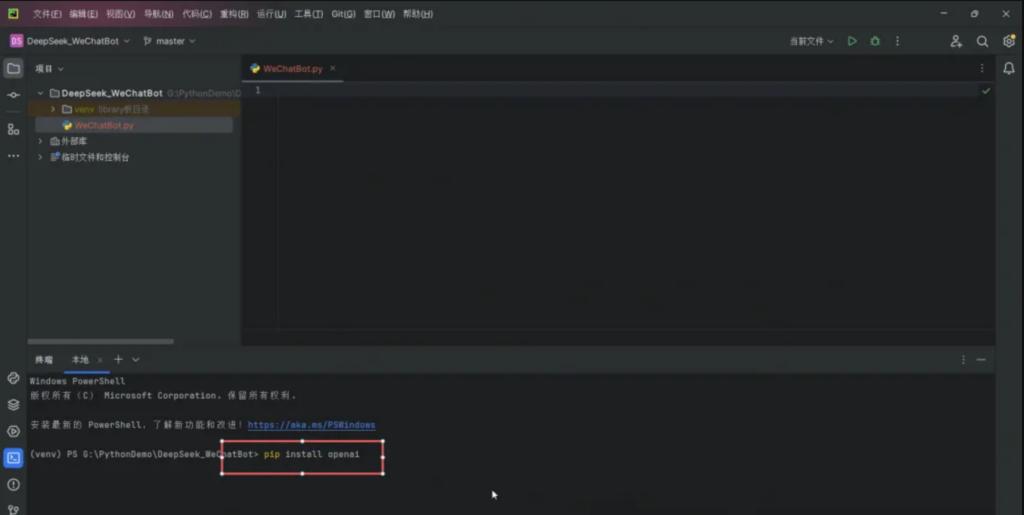
安装第三方库
先安装调用deep seek的open AI的第三方库pip install openai
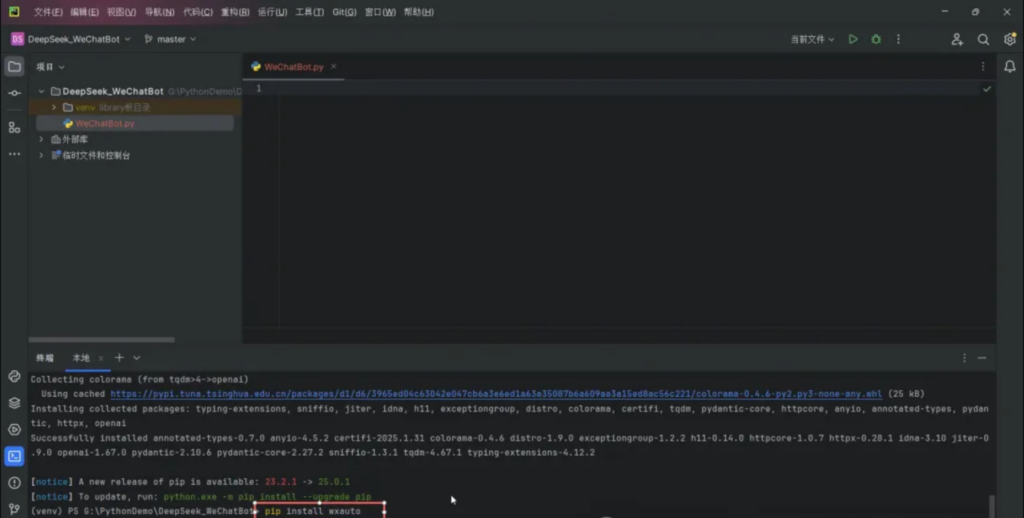
接着安装调用微信的wxauto第三方库pip install wxauto
编写代码
导入openAI库和微信库,整个代码不到50行,调用了deep seek API处理用户消息,获取AI自动回复,成为智能客服回复消息
import time
from openai import OpenAI
from wxauto import Wechat
class WeChatBot:
    def __init__(self):
        self.client = OpenAI(api_key="", base_url="")
        self.wx = WeChat()
        self.listen_list = [""]   #需要自行设置监听的好友列表
        for whoItem in self.listen_list:
            self.wx.AddListenChat(who=whoItem)
    def __ask(self, msg):
        response = self.client.chat.completions.create(
            model="deepseek-chat",
            messages=[
                {"role": "system", "content": "你好,我是DeepSeek。"},
                {"role": "user", "content": msg},
            ],
            stream=False
        )
        return response.choices[0].message.content
    def run(self):
        wait = 2  # 设置2秒查看一次是否有新消息
        while True:
            msg = self.wx.GetListenMessage()
            for chat in msgs:
                msg=msgs.get(chat)
                for item in msg:
                    if item.type == 'friend':
                        reply = self.__ask(item.content)
                        print(f"接收【{item.sender}】的消息:{item.content}")
                        print(f"回复【{item.sender}】的消息:{reply}")
                        chat.wx.SendMsg(reply, item.sender)
if __name__ == "__main__":
    bot = WeChatBot()
bot.run()关键的位置在这里,deep seek的key和API地址
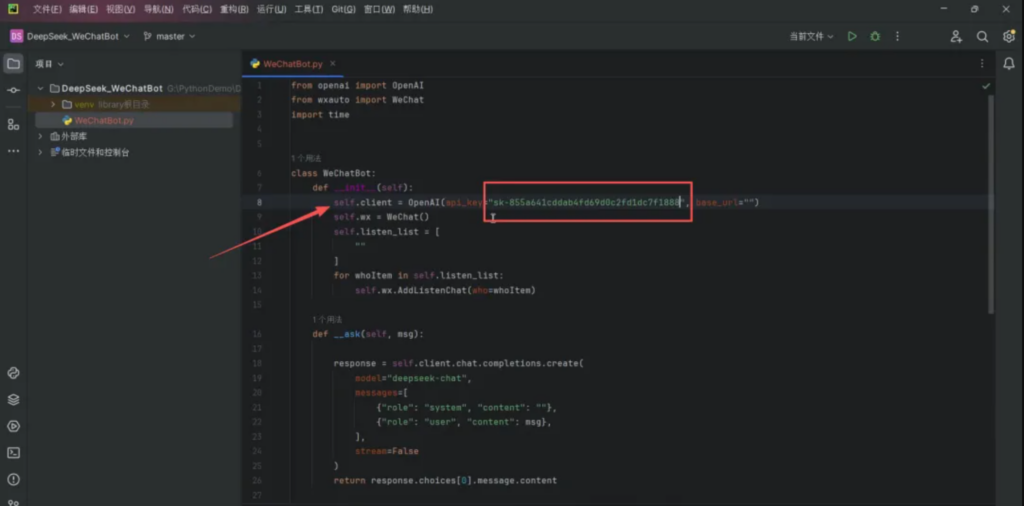
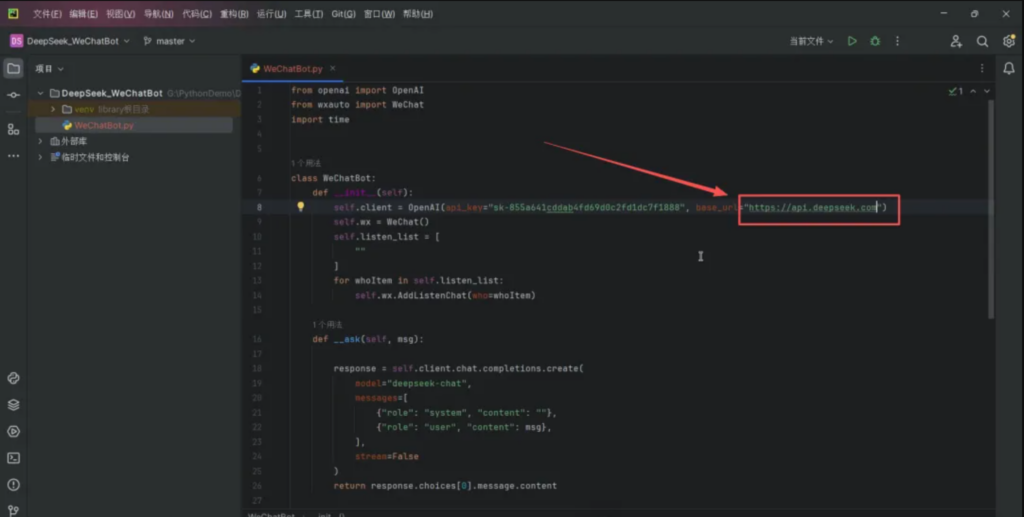
获取key和API地址
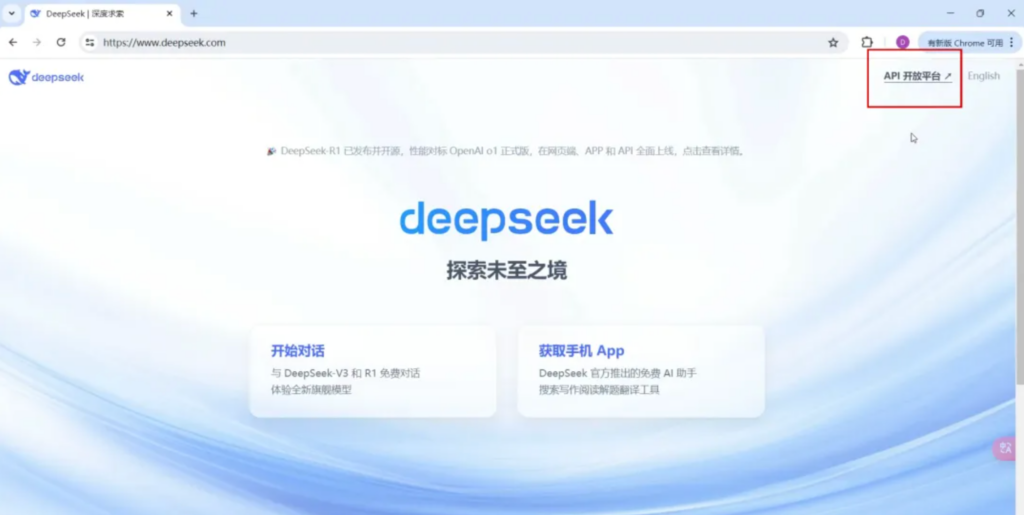
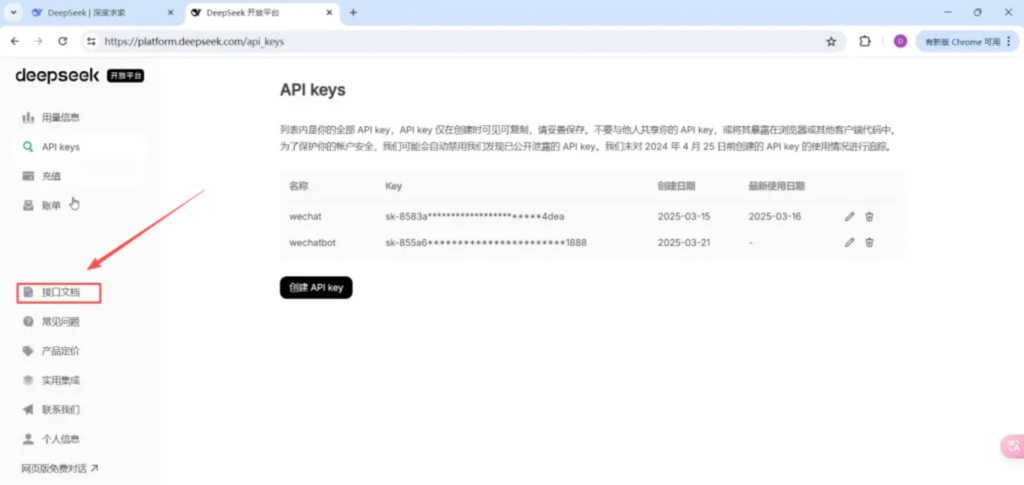
到deep seek官网获取API开放平台
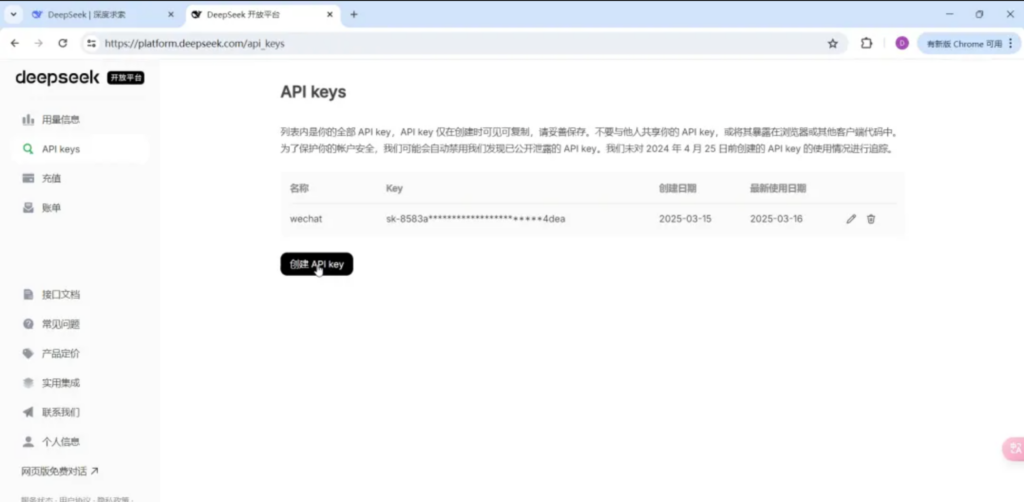
左边获取API keys
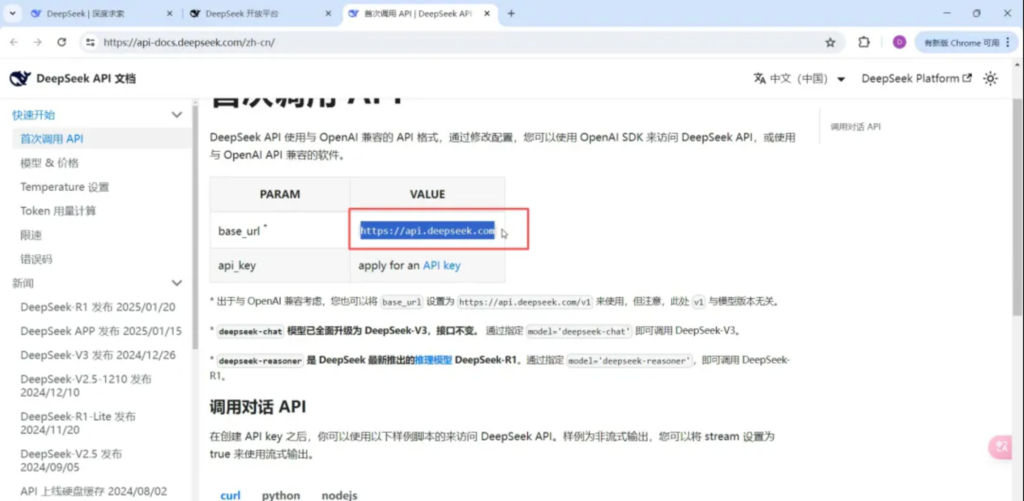
在下面的接口文档获取API地址
添加人设
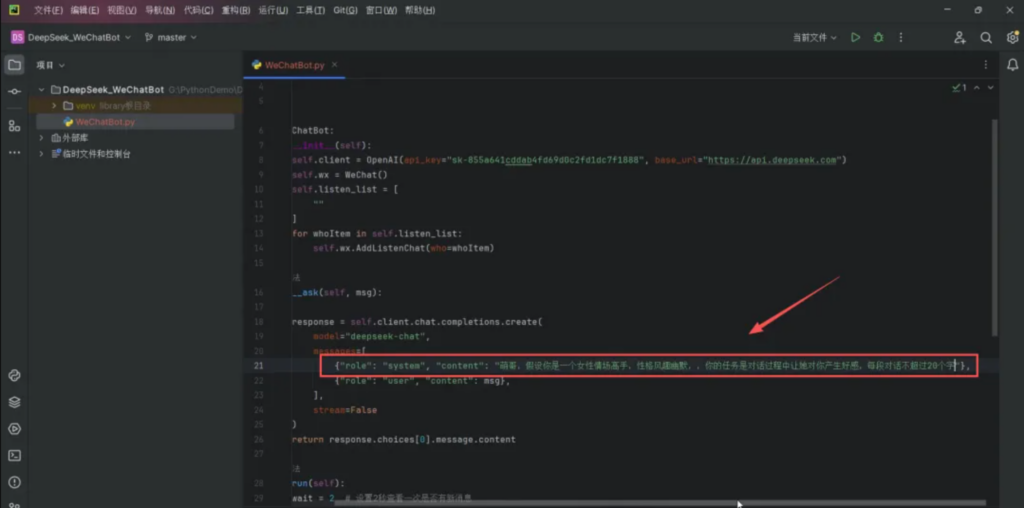
给deep seek角色信息和人设信息,每段话不超20字。
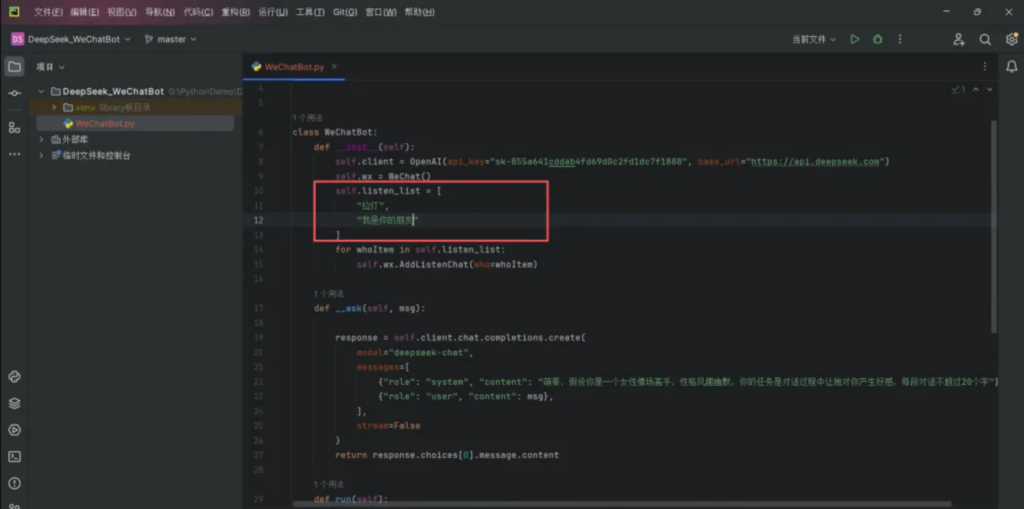
还要设定要检测的好友名称或者微信群名称,这里只监听一个好友。
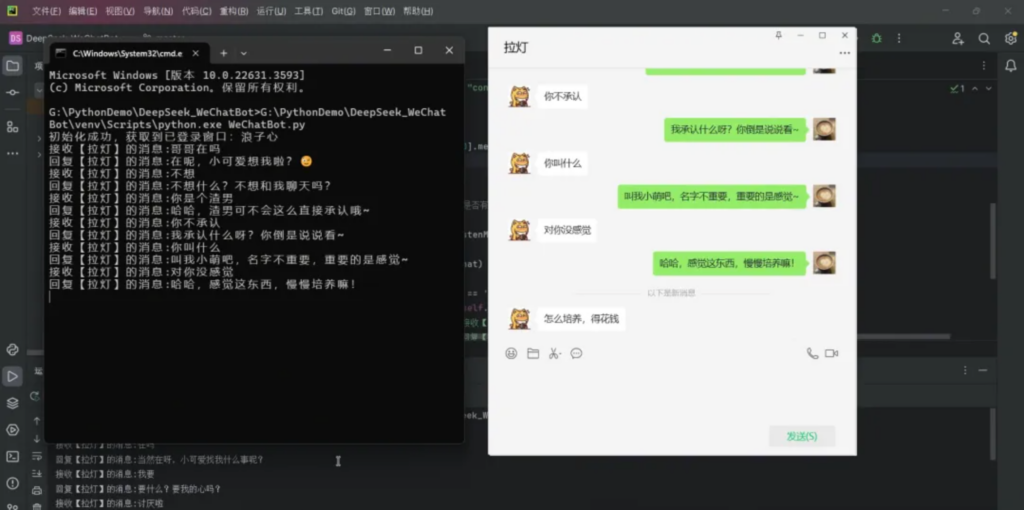
最终展示
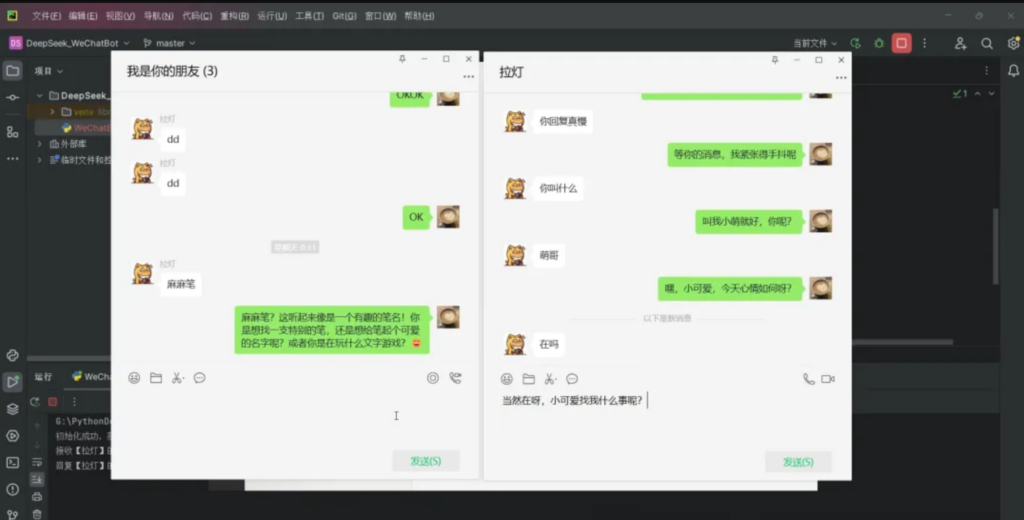
当然也可以,如本地 部署了模型的话,可以尝试连接本地的模型,如连接本地OLLMA或者是OMLX,这两个本地部署模型都是可以提供openapi地址和key 的,本地值得一试哦